Viindoo
Odoo Community
Odoo Enterprise

Fleet Loading Capacity (Volume & Payload)

Know exactly how much every vehicle can carry — before you load it.

Set volume and payload limits once on each vehicle model, let every vehicle inherit them automatically, and fine-tune per unit whenever reality differs. Fleet Loading Capacity turns “how much fits on this truck?” from a guess into a number your team can trust — the capacity foundation your cargo, booking, and trip-planning workflows build on.

Powering Your Business Growth.
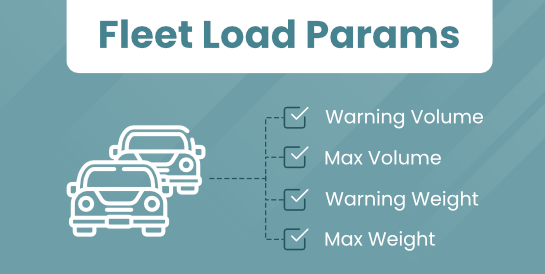
Fleet Loading Capacity (Volume & Payload)

Key Features

🛡

Capacity defaults on every vehicle model

Define warning and maximum thresholds for both volume (m³) and payload (kg) directly on a vehicle model, alongside a Can Transport Goods flag. Set them once on the model’s Loading Parameters group — and optionally surface them as columns on the Models list — so every vehicle you later link to that model starts with sensible, ready-to-use capacity defaults instead of blank fields.

🚚

Per-vehicle capacity that inherits, then adapts

Each vehicle carries its own volume and payload figures on its Loading Parameters group. Pick a model and the capacity values copy straight in — no re-typing. When a specific unit differs from the standard (a lighter chassis, a refit, a modified body), simply override the value on that vehicle. The figures stay stored on the vehicle record and remain editable at any time, so inheritance saves you effort without locking you in.

🏢

A company-wide capacity foundation

A company-level Enforce Load Capacity switch (on by default) tells capacity-aware modules across your Fleet stack — trip, booking, and planning — whether over-capacity vehicle assignments should be blocked. This module ships the shared capacity data and the company switch that downstream apps read, giving your whole fleet one consistent source of truth for what each vehicle can handle.

Benefits

Stop overloading before it happens. When every vehicle and model carries real volume and payload limits, your team plans against actual capacity — not a rough mental estimate. Fewer overloaded trucks means fewer safety risks, fewer fines, and less wear on your fleet.

Configure once, reuse everywhere. Enter capacity figures on a model a single time and every vehicle of that model inherits them automatically. Per-vehicle overrides handle the exceptions, so you get consistency by default and flexibility exactly where you need it — no spreadsheets, no duplicate data entry.

A foundation the rest of your fleet builds on. Loading Capacity is designed to underpin cargo, booking, and trip-planning modules. Set your capacity data up here and every capacity-aware workflow you add later reads from the same, already-correct numbers — so you invest once and benefit across the whole system.

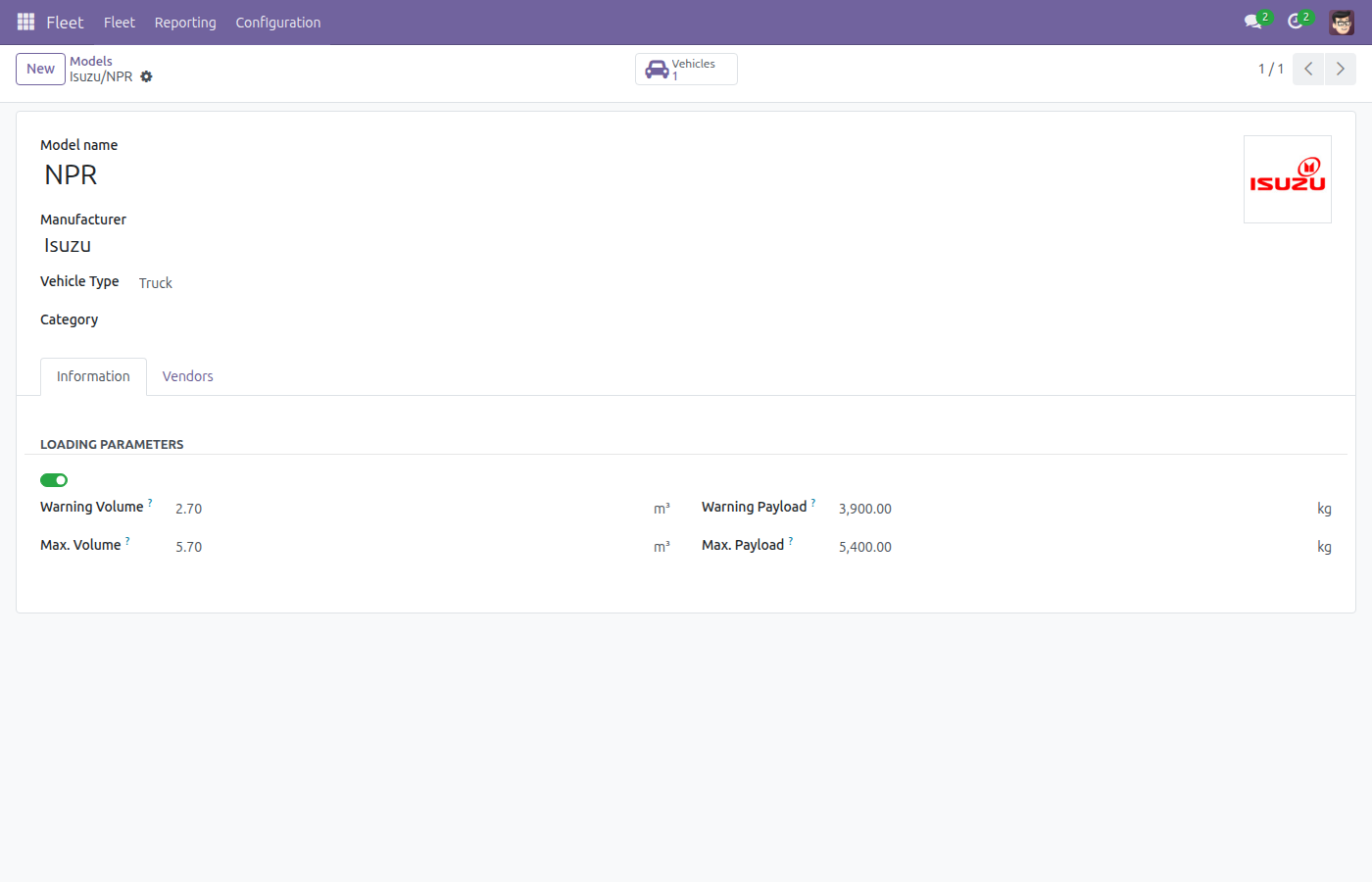
Set default capacity on a vehicle model

Define default limits on a vehicle model — Can Transport Goods enabled, with Warning Volume 2.7 m³ / Max Volume 5.7 m³ and Warning Payload 3900 kg / Max Payload 5400 kg on the Loading Parameters group.

Vehicle model Loading Parameters group filled with capacity defaults

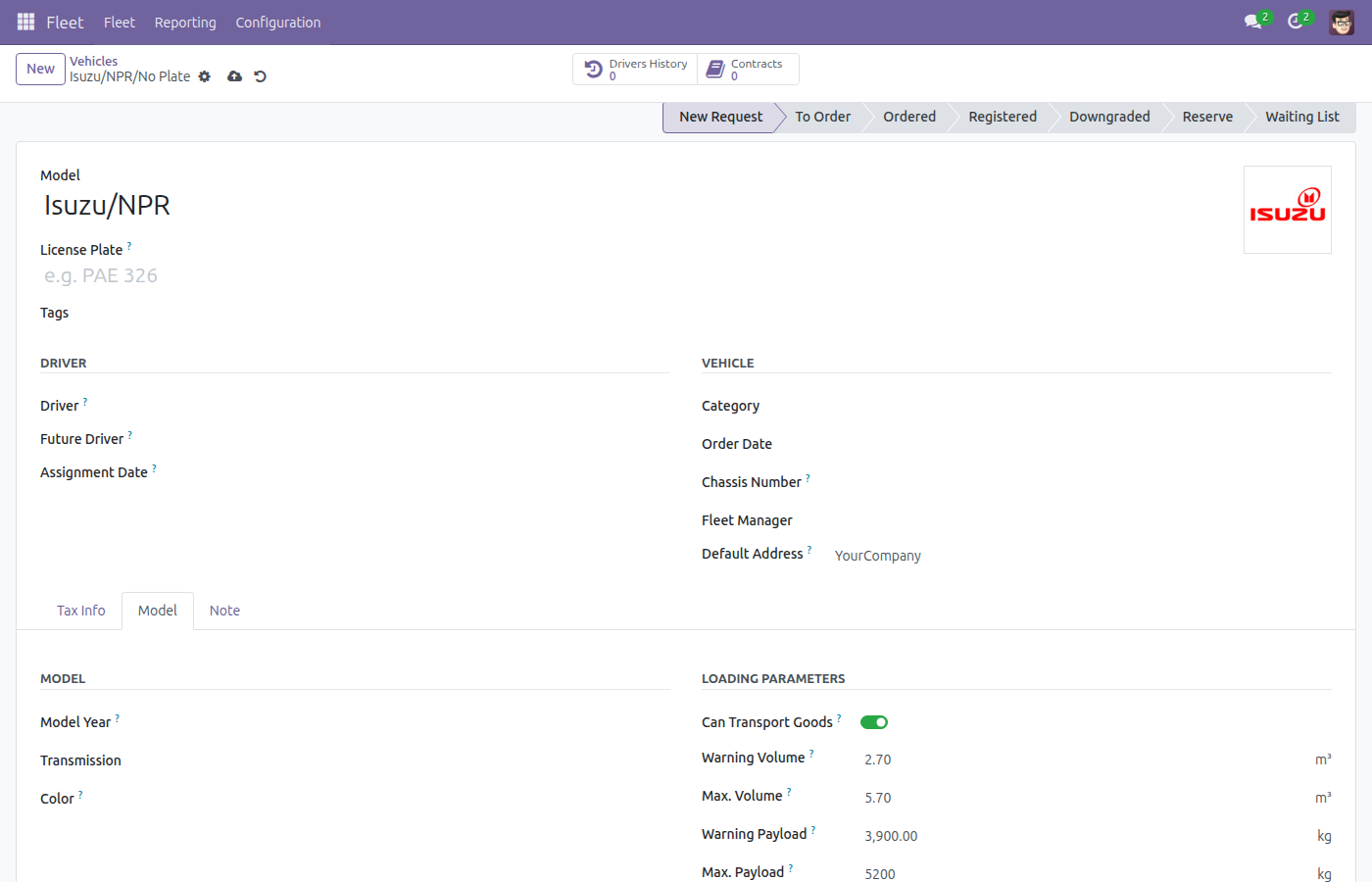
Inherit capacity, then override per vehicle

A new vehicle inherits its model’s capacity the moment you pick the model — here Max Payload is overridden to 5200 kg for this specific unit while the other limits stay as inherited from the model.

Vehicle capacity inherited from the model with a Max Payload override

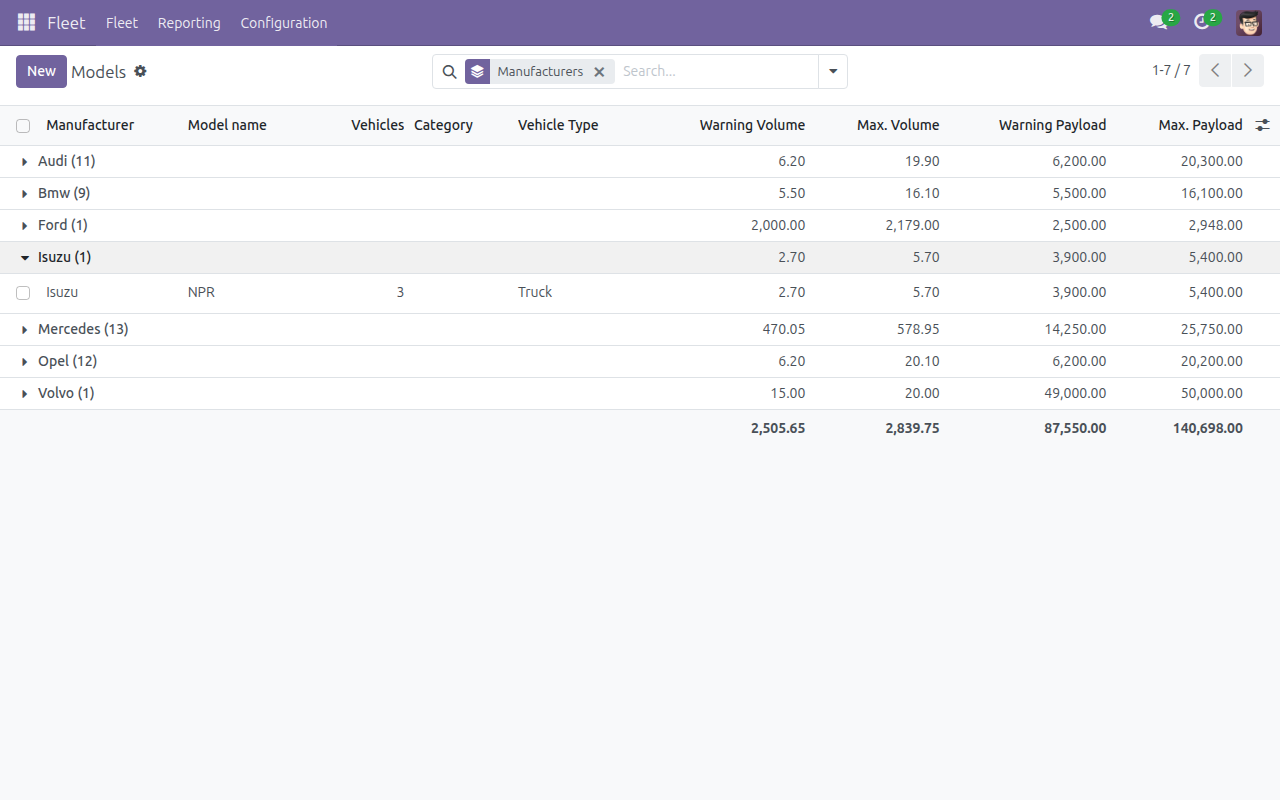
Compare capacity across your fleet

Compare capacity across your fleet at a glance — volume and payload thresholds available as optional columns on the Vehicle Models list.

Vehicle Models list with optional volume and payload columns shown

See Fleet Loading Capacity in Action

Try the Live Demo

Need help with Fleet Loading Capacity?

Pre-Sales & Partnership

apps.support@viindoo.com

Technical Support

apps.support@viindoo.com

Technical Requirement

  • Odoo version: 17.0
  • Editions: Community / Enterprise
  • Required modules: Fleet, Viin Fleet
  • License: OPL-1

Who Should Use This Module?

Fleet Managers

Set the standards — defining capacity defaults per vehicle model so the whole fleet is configured consistently from day one.

Fleet Officers & Dispatchers

Work vehicle by vehicle — reviewing each unit’s real capacity and adjusting the exceptions before assigning loads.

Logistics & Transport Teams

Building toward cargo, booking, or trip-planning workflows that need a reliable, per-vehicle answer to “how much can this carry?”

Give your fleet a capacity it can count on.

Install Fleet Loading Capacity to define volume and payload limits across your vehicles and models today — and lay the foundation for smarter cargo, booking, and planning tomorrow.

Viindoo — Powering Your Business Growth.