Viindoo
Odoo Community
Odoo Enterprise

IoT Quality

Read a quality check’s measurement straight off the instrument, and record which instrument produced it.
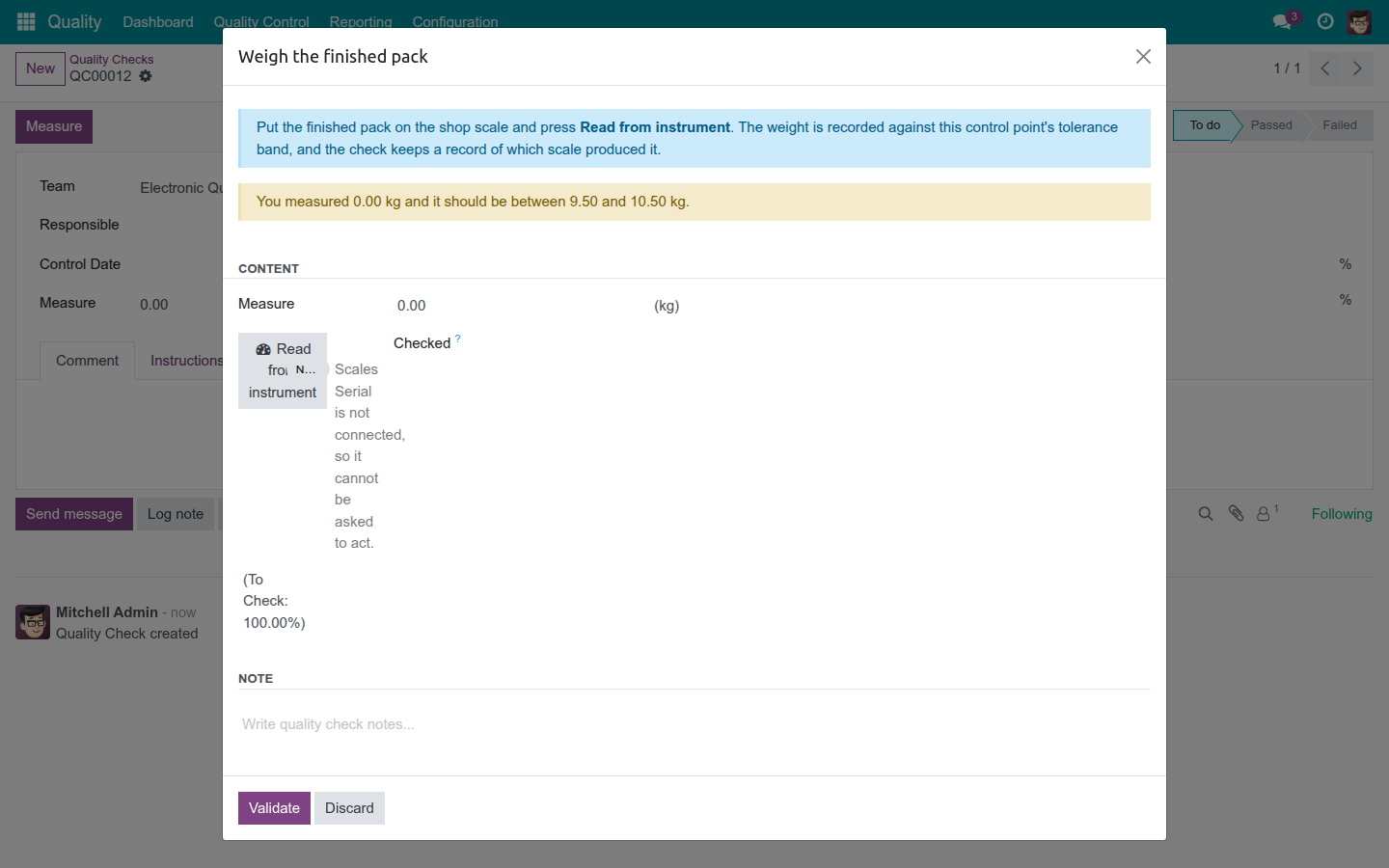
Read from instrument, straight from the quality check dialog

The Reading Nobody Typed.

Take a quality check’s measurement straight from the registered instrument - and know exactly which device produced it, and when. IoT Quality turns a quality check’s measurement into evidence: attributable to an instrument, timestamped, and never confused with a number someone typed in from memory.

Extends viin_iot - see its documentation.
Key Features

Name the instrument on the control point

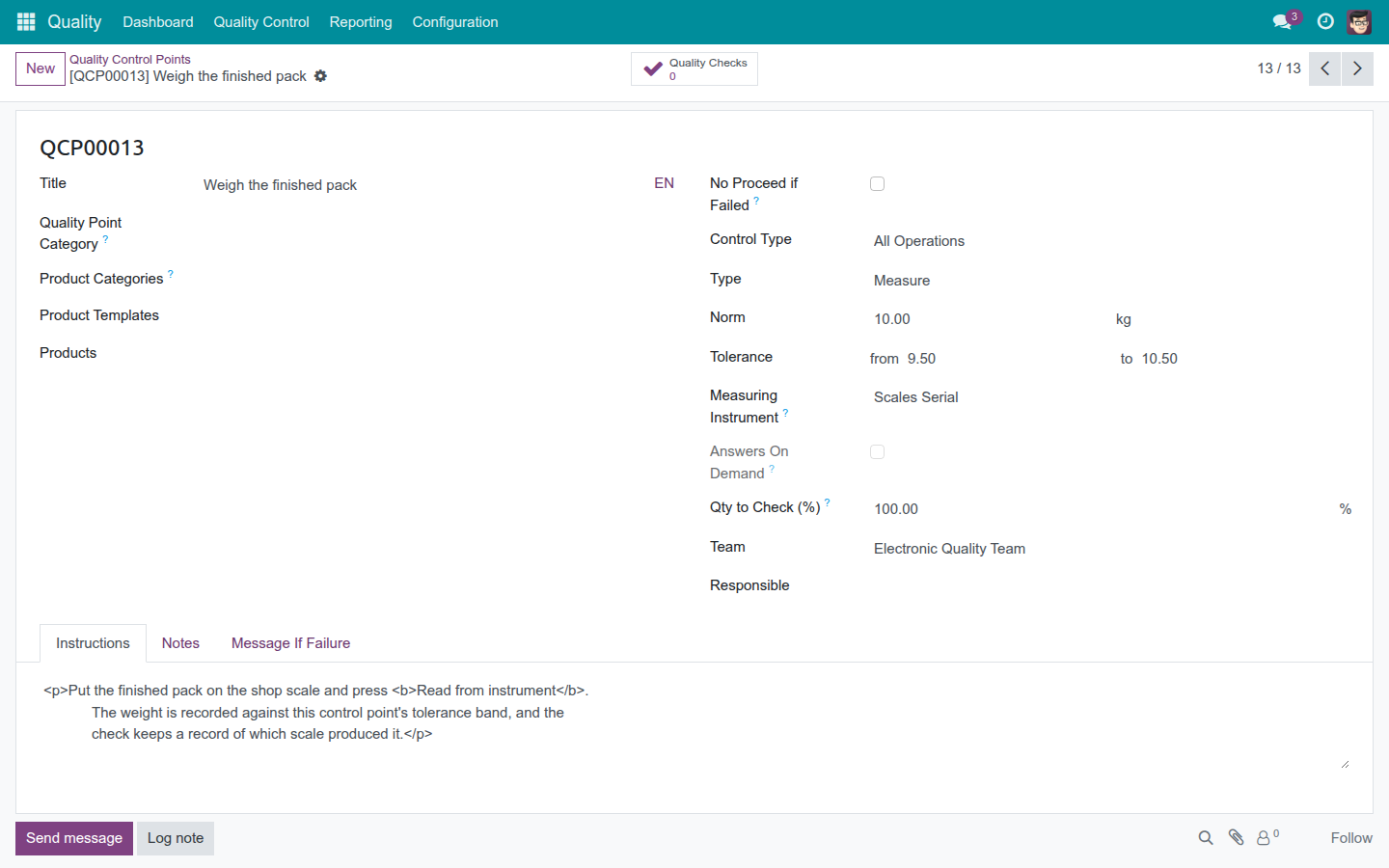
Point a control point straight at the registered instrument that should supply its reading, filtered to the kind of device the test needs and to the point’s own company, so nobody hunts through instruments that don’t apply.

📡

One button, a reading you can watch happen

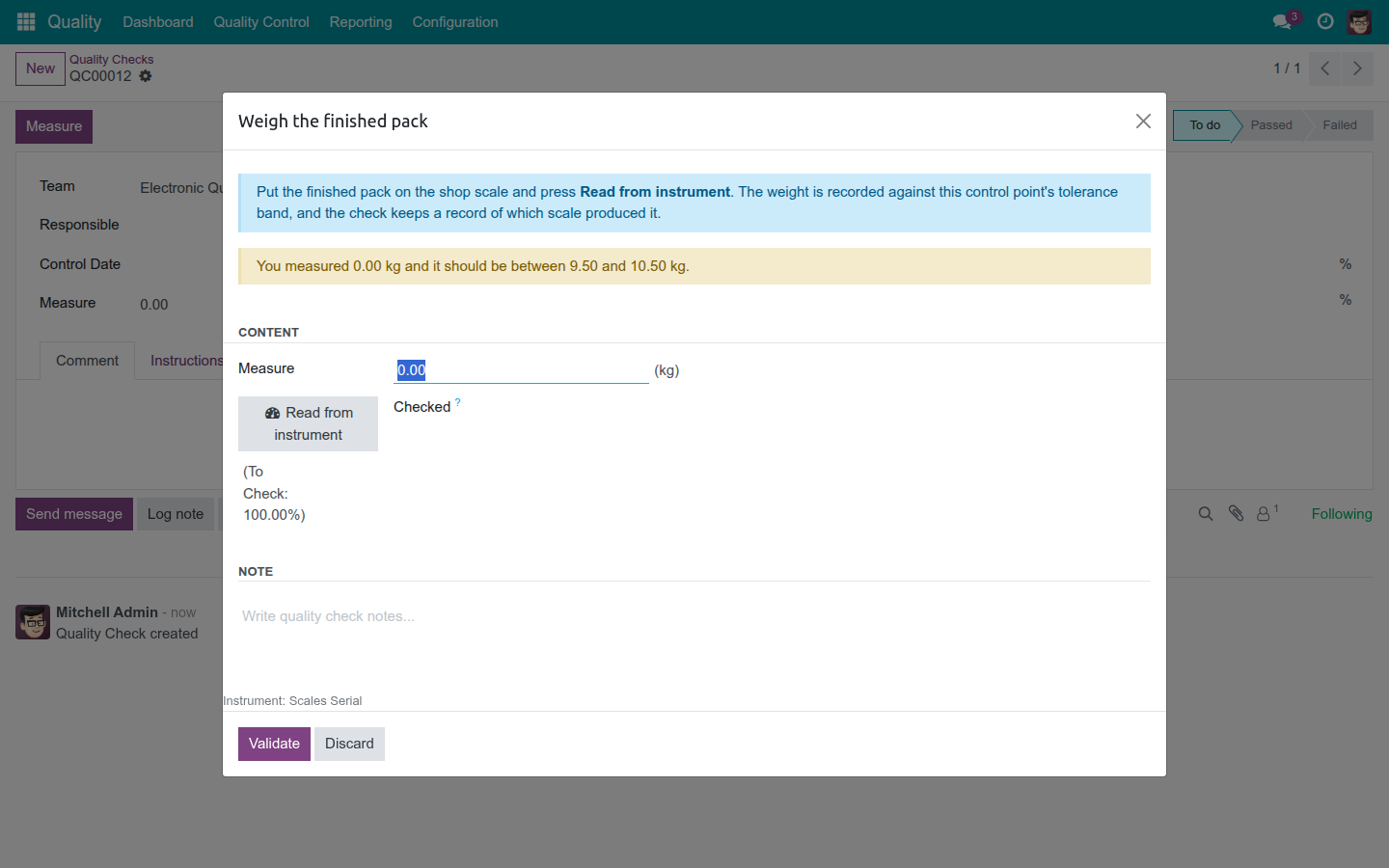
An operator presses "Read from instrument" and watches the request live: waiting, then received once the value lands, or a plain error if the instrument never answers - never a silent gap dressed up as a passed check.

📋

Every measurement carries its source

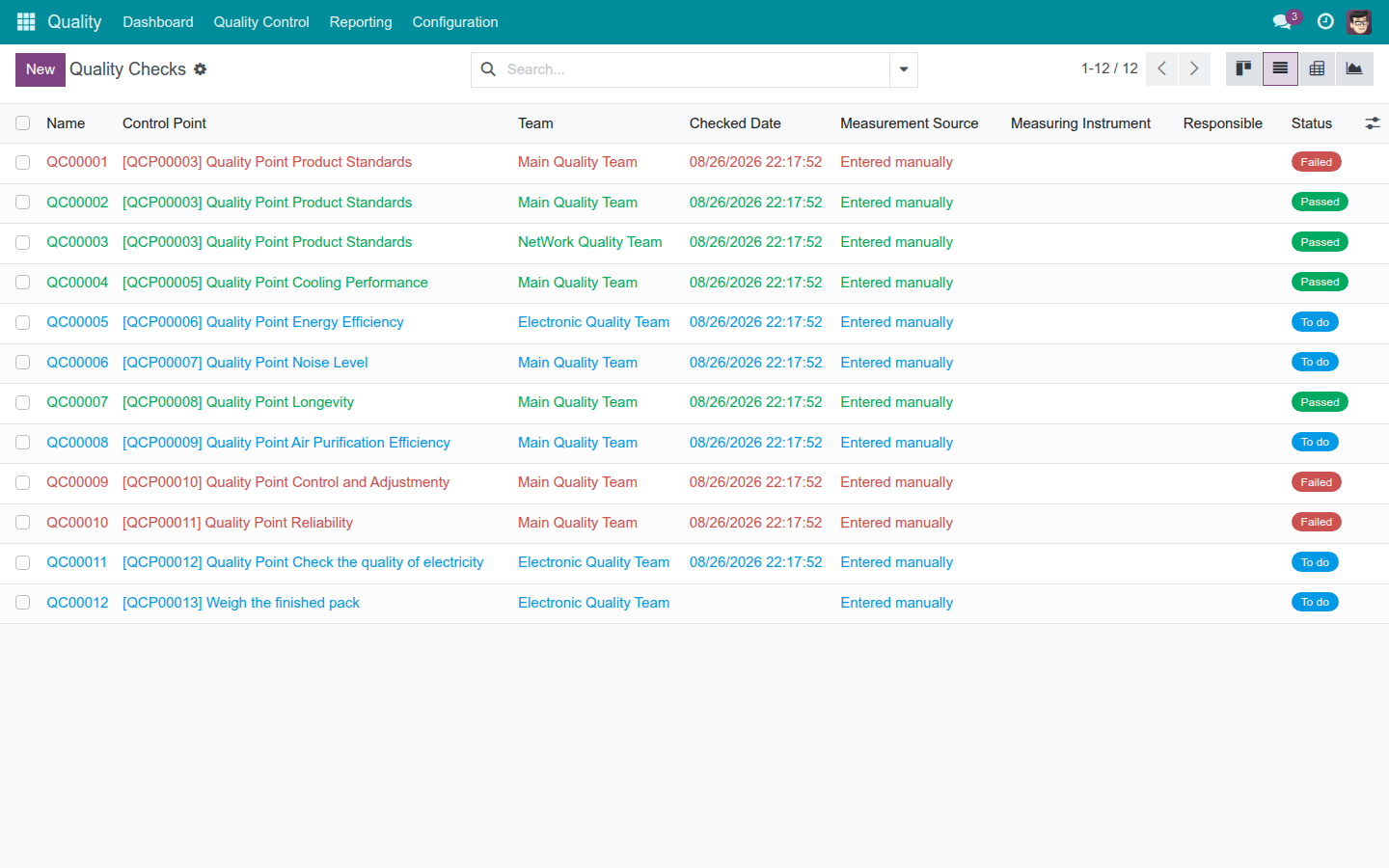
Each quality check keeps a permanent record of whether its number was entered by hand or read from an instrument, which instrument produced it, and exactly when that instrument took the reading - a different moment from the check’s own sign-off date.

👤

The operator doesn’t need a separate login to use it

Registering an instrument stays an administrator’s job. Taking a measurement doesn’t: a quality operator reads an instrument with the exact access they already hold for quality checks, nothing extra to request or be granted.

How It Works

1
Naming an instrument on a control point

An instrument is registered in your IoT setup, then someone names it on the control point it should serve.

2
Pressing Read from instrument in the check dialog

When a quality check runs against that point, the operator opens the measurement dialog and presses "Read from instrument."

3
Instrument and timing recorded on the quality check

The operator watches the request resolve - a reading lands, or the instrument says plainly that it didn’t. Confirming stages the value onto the check together with the instrument and the moment it measured.

4

Pass or fail doesn’t change: the control point’s own tolerance rule still makes that call. This module supplies the number - never the verdict.

Name the Instrument on the Control Point

Point a control point straight at the registered instrument that should supply its reading, filtered to the kind of device the test needs and to the point’s own company, so nobody hunts through instruments that don’t apply. Leave it unset and the point stays exactly as fillable by hand as it always was.

Naming the measuring instrument on a quality control point

One Button, a Reading You Can Watch Happen

An operator presses "Read from instrument" and watches the request live: waiting, then received once the value lands, or a plain error if the instrument never answers - never a silent gap dressed up as a passed check. The value stages in the dialog and reaches the check only once the operator confirms it.

Pressing Read from instrument and seeing the live request state

Every Measurement Carries Its Source

Each quality check keeps a permanent record of whether its number was entered by hand or read from an instrument, which instrument produced it, and exactly when that instrument took the reading - a different moment from the check’s own sign-off date. Swap in a replacement instrument later, and earlier checks keep exactly what they always recorded.

Quality check list showing the measurement source and instrument columns

The Operator Doesn’t Need a Separate Login to Use It

Registering an instrument stays an administrator’s job. Taking a measurement doesn’t: a quality operator reads an instrument with the exact access they already hold for quality checks, nothing extra to request or be granted.

Need help with IoT Quality?

Pre-Sales & Partnership

Talk to Viindoo before you buy.

viindoo.com/apps/modules/17.0/viin_iot_quality

Technical Support

Already running it? Reach the support team directly.

apps.support@viindoo.com

Technical Requirement

  • Odoo version: 17.0
  • Editions: Community, Enterprise
  • Required apps: IoT (viin_iot), Quality (to_quality)
  • License: OPL-1

Give Every Measurement a Source.

See where the value came from, and when, on every quality check you run.

Start a Free Trial Book a Guided Tour