Viindoo
Odoo Community
Odoo Enterprise

Fleet Trip Accounting - Cost & Revenue by Trip

Know exactly what each trip costs and what it earns. Every time a trip is confirmed, Odoo creates a dedicated analytic account for it - so vehicle logs, vendor bills, and billed services all roll up into one true per-trip profit-and-loss view.

Powering Your Business Growth.
Fleet Trip Accounting - Cost & Revenue by Trip

Extends viin_fleet_booking - see its documentation.
Key Features

📋

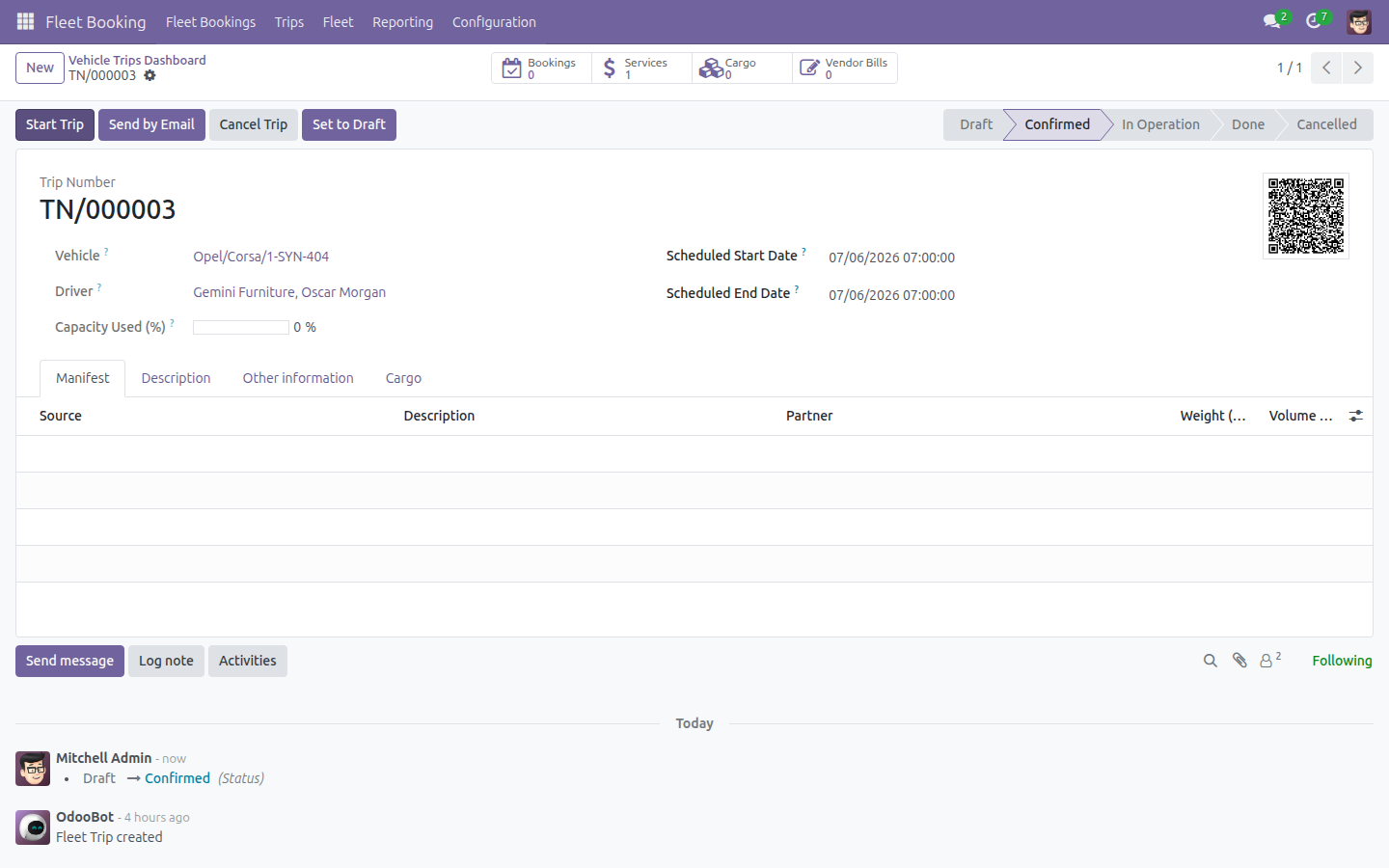
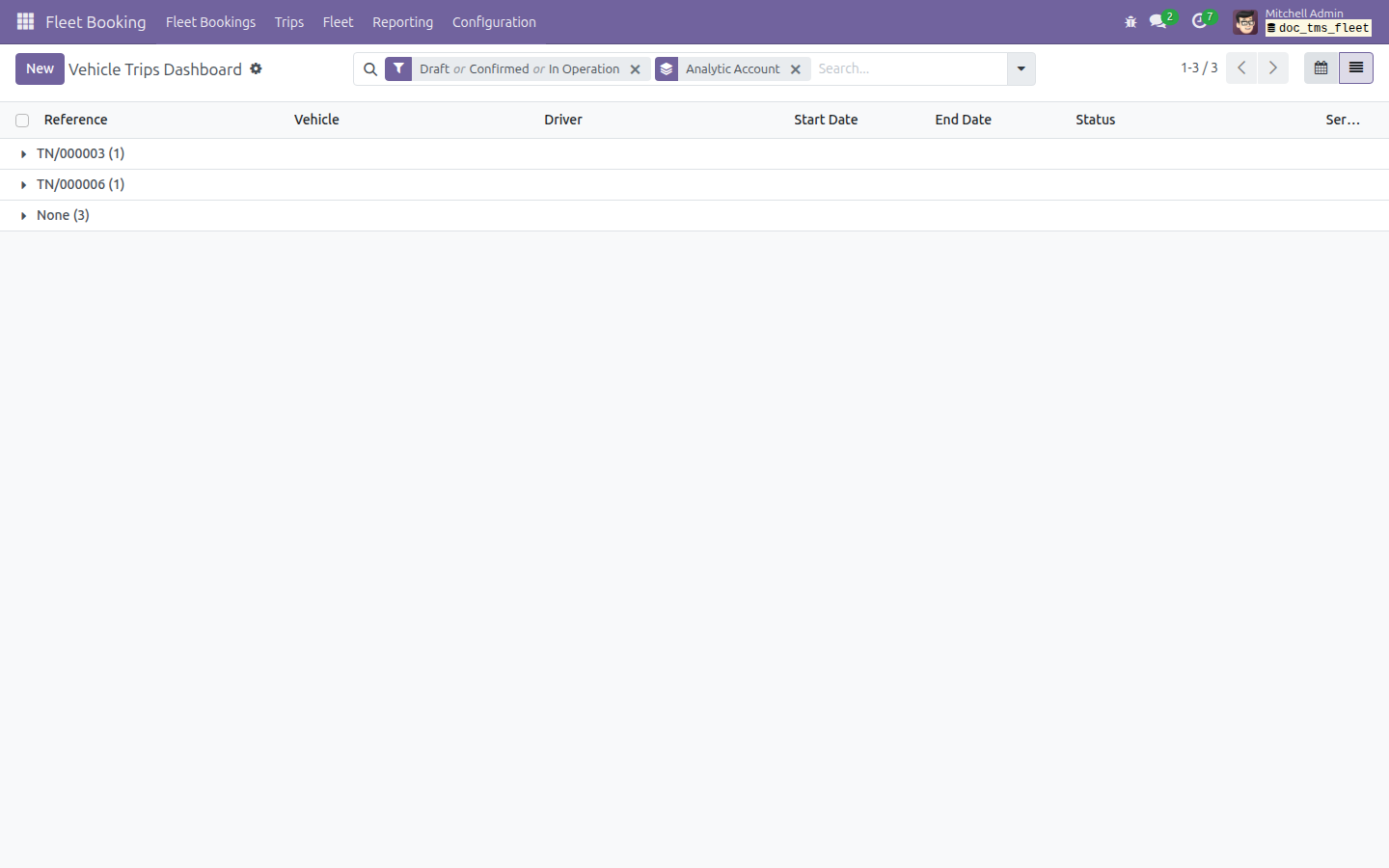
A dedicated analytic account for every trip

The moment you confirm a trip, the module generates and links an analytic account named after that trip. From then on, every cost and every revenue line tied to the trip is tracked and reported on its own - no manual account setup, no guesswork.

Cost automatically split between vehicle and trip

When a vendor bill line covers a service that belongs to a trip, the cost is distributed across both the vehicle's and the trip's analytic accounts in one combined analytic line - not two separate postings. Your vehicle dimension and your trip dimension both stay accurate, automatically.

📈

True per-trip cost and revenue report

The Trips Analysis pivot and graph now fold vendor-billed service amounts into each trip's summed cost, giving managers a real per-trip P&L instead of a figure that quietly missed the vendor-billed portion.

💳

One-click view of a trip's vendor bills

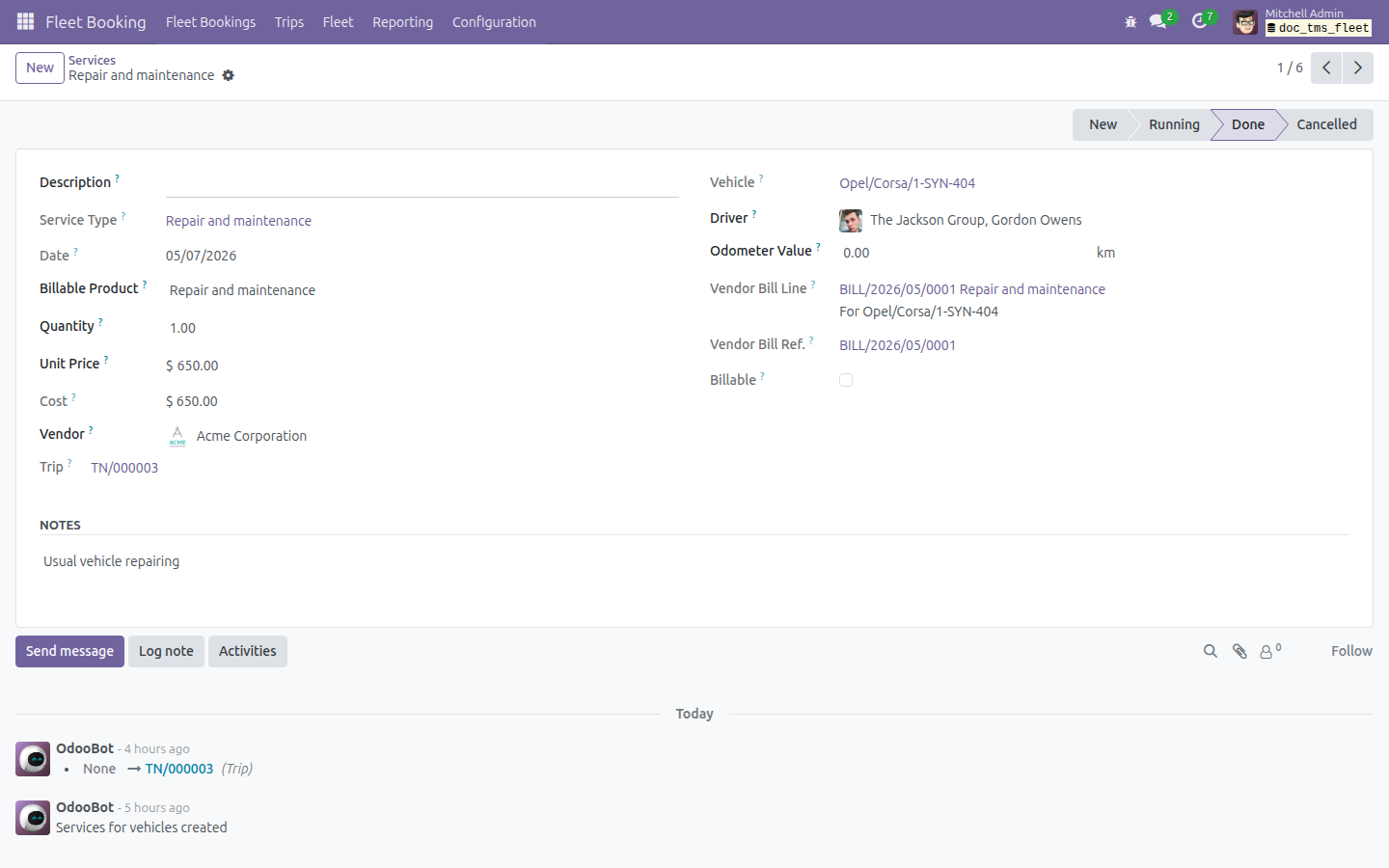
A Vendor Bills smart button on every trip form opens all bills generated for that trip's services - and jumps straight to the single bill when there is only one.

🔍

Invoiced vs. uninvoiced trip filters

Ready-made list filters let fleet and accounting staff separate trips whose service costs are fully billed from those still awaiting vendor billing - so nothing slips through unbilled.

🔒

Locked history you can trust

Once a service has been invoiced, its trip assignment is frozen and its analytic account cannot be renamed, archived, or deleted while still linked to a trip - protecting the integrity of every trip's cost and revenue record.

Why Fleet Managers Choose It

See real trip profitability, not estimates. Because costs and revenue land on a per-trip analytic account automatically, you get an accurate P&L for each trip without spreadsheets or manual allocation.

Bill with confidence and full traceability. Invoiced/uninvoiced filters and the vendor-bills smart button make it obvious which trips are fully billed and let you reach every underlying bill in one click.

Keep your cost history clean. Locking billed service assignments and protecting linked analytic accounts means your trip accounting stays consistent long after the bills are posted.

No double bookkeeping. The vehicle and trip dimensions are populated from the same vendor bill in a single combined line, so you report by vehicle and by trip without duplicating effort.

A dedicated analytic account for every trip

Confirm a trip and Odoo instantly creates a dedicated analytic account named after it - here TRIP/2024/00045 appears in the Analytic Accounts list, ready to collect that trip's costs and revenue.

Trip list grouped by Analytic Account, one group per confirmed trip

Invoiced vs. uninvoiced trip filters

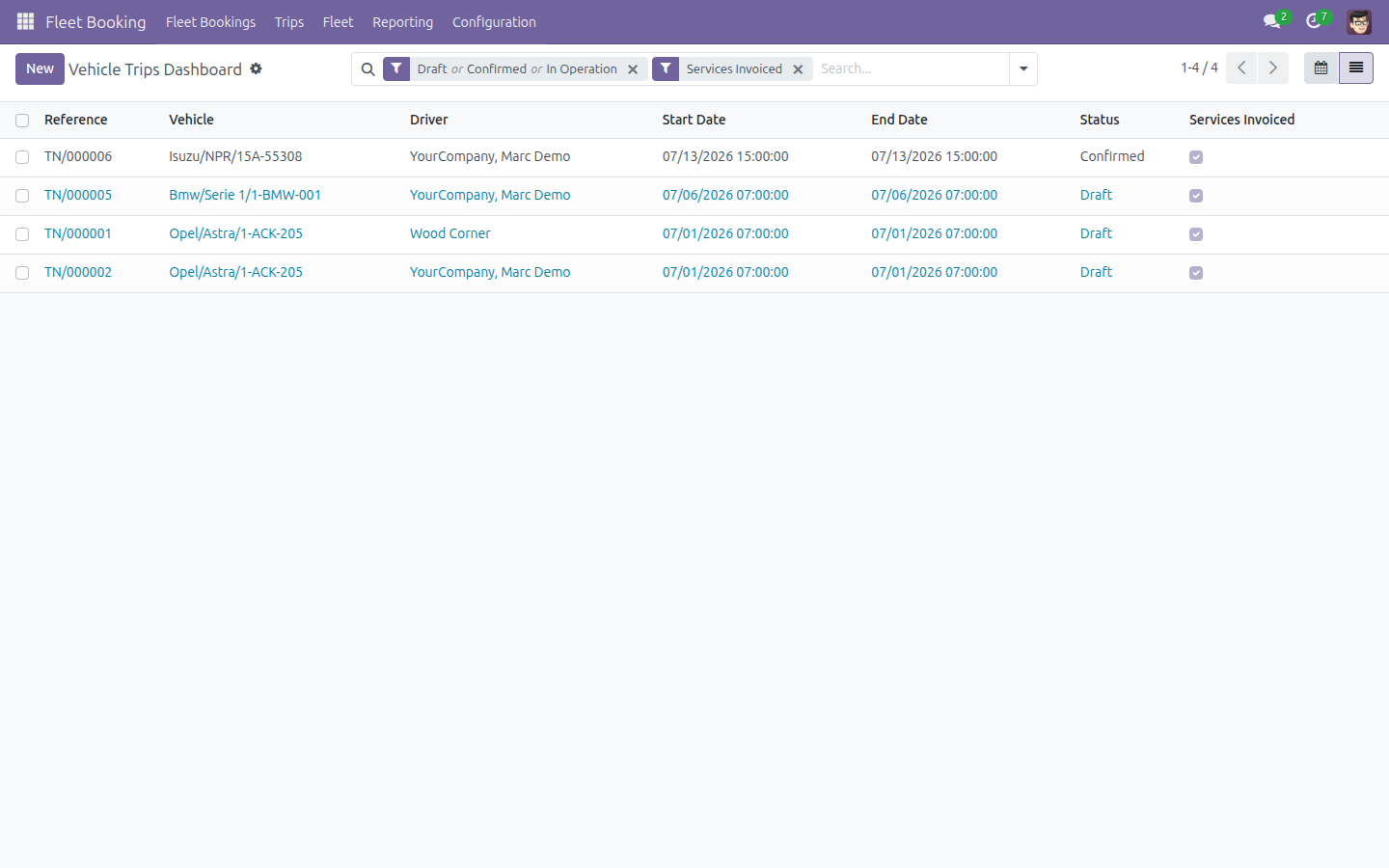
Built-in Services Invoiced and Services Uninvoiced filters split the trip list into fully-billed trips and those still waiting on vendor billing.

Trip list filtered to Services Invoiced

One-click view of a trip's vendor bills

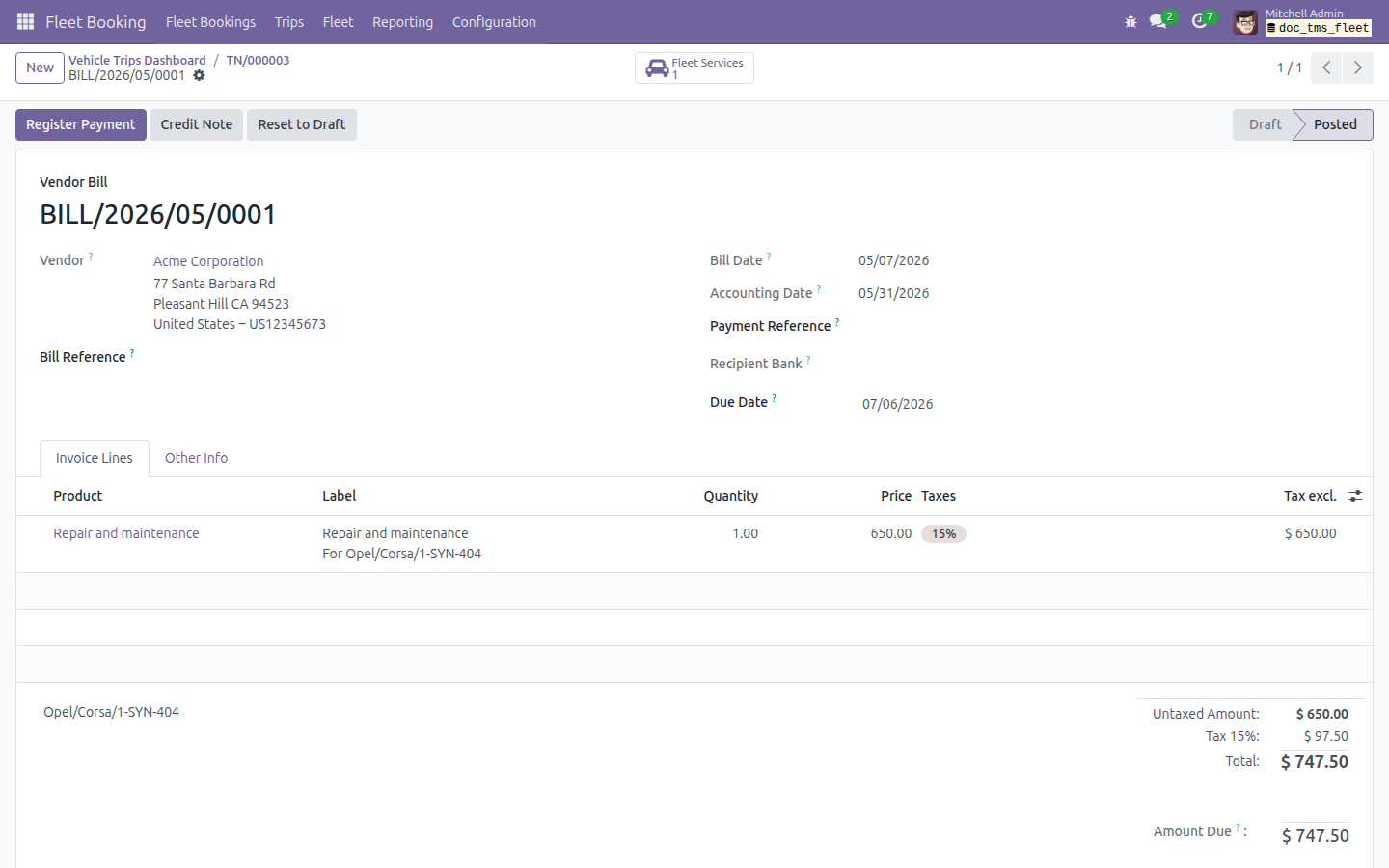
The Vendor Bills smart button on the trip form opens every bill raised for that trip's services - straight to the single bill when there is only one.

Vendor bill opened directly from the trip's Vendor Bills smart button

Cost automatically split between vehicle and trip

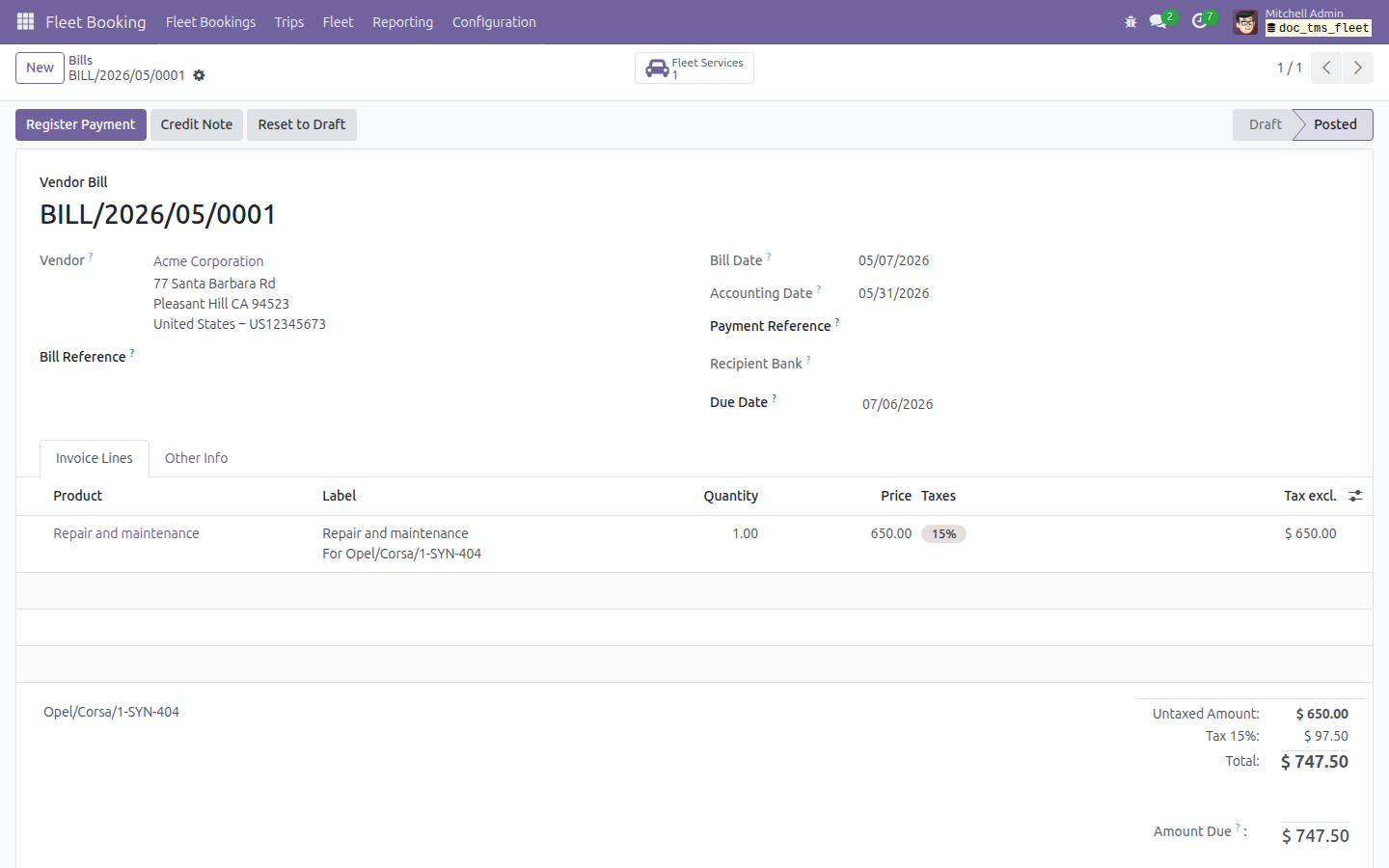
On the vendor bill's Journal Items, a single analytic distribution splits the service cost across the vehicle's and the trip's analytic accounts, summing to 100% in one line.

Posted vendor bill for the trip-linked service

True per-trip cost and revenue report

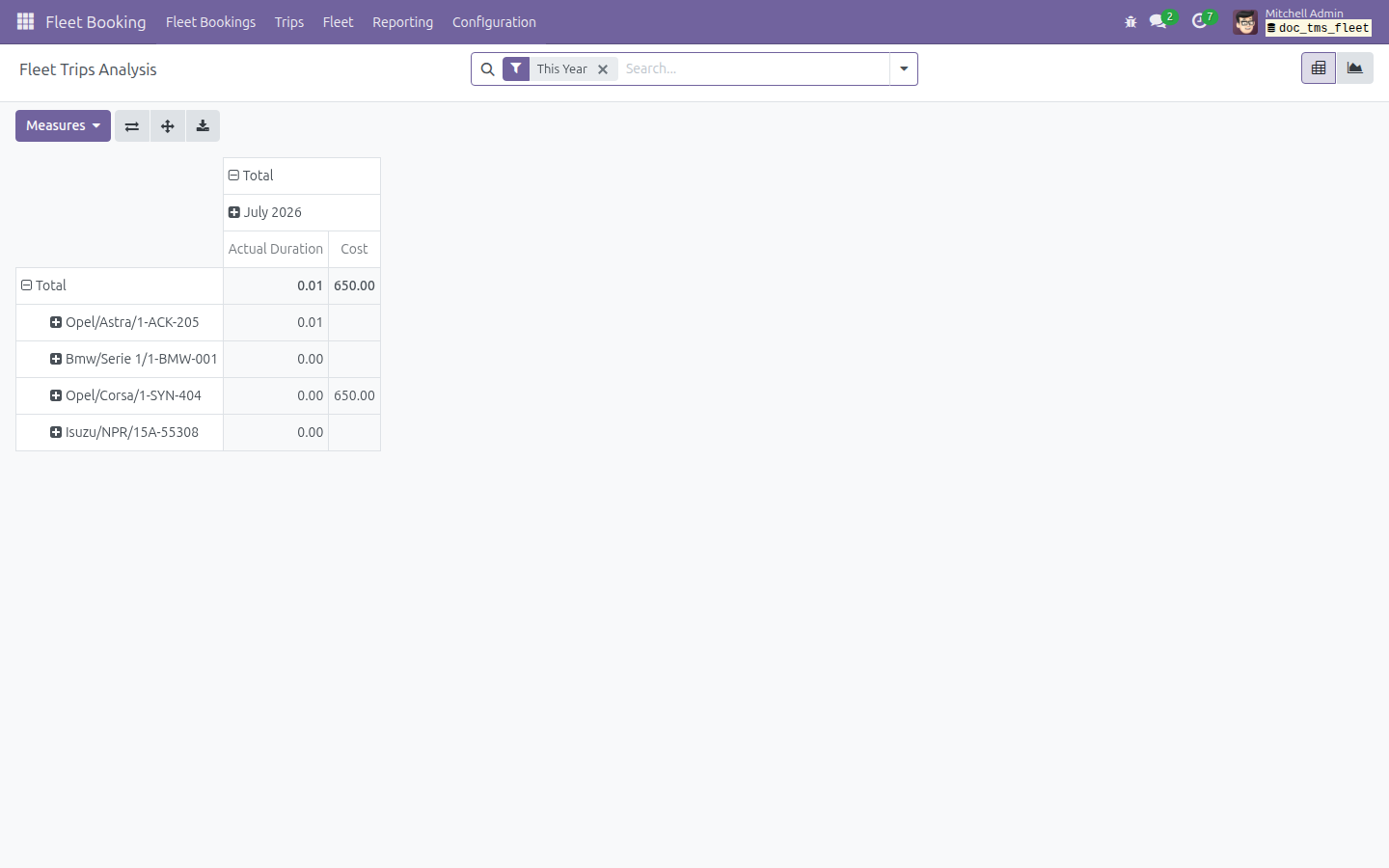
The Trips Analysis pivot now includes posted vendor-bill amounts in each trip's Cost measure - a complete per-trip cost figure at a glance.

Trips Analysis pivot with the Cost column including the vendor-billed service amount

Locked history you can trust

Once a service is billed, its Trip field is shown read-only, so the trip allocation behind a billed cost can never be silently reassigned.

Service form with the Trip field shown read-only after billing

See Fleet Trip Accounting in Action

Explore trip confirmation, vendor-bill cost splitting and the Trips Analysis report for yourself on a live instance.

Try the Live Demo

Need help with Fleet Trip Accounting?

Pre-Sales & Partnership

apps.support@viindoo.com

Technical Support

apps.support@viindoo.com

Technical Requirement

  • Odoo version: 17.0
  • Editions: Community / Enterprise
  • Required modules: Fleet Booking & Trip Management, Fleet Cost & Revenue Accounting
  • License: OPL-1

Who It's For

Fleet Managers

Need a true cost-and-revenue picture per trip to price routes, judge profitability, and control spend.

Fleet Operators

Confirm trips and log services, and want cost tracking to happen automatically, without extra accounting steps.

Accountants

Bill trip-linked services and need vendor-bill costs to land on the right vehicle and trip analytic accounts, first time.

Transport & Logistics Teams

Running Viindoo Fleet Booking, and want per-trip profitability without leaving Odoo.

Start Costing Your Trips Accurately

Turn every confirmed trip into its own cost-and-revenue center - automatically. Install Fleet Trip Accounting on top of Viindoo Fleet Booking and give your managers a real per-trip P&L from day one.

Get it on the Viindoo App Store today.

Powering Your Business Growth.