Fleet Drivers Management
| Lines of Code | 668 |
| Technical name | to_fleet_driver |
| License | OPL-1 |
| Website | https://viindoo.com/apps/modules/19.0/to_fleet_driver |
| Read description for | v 10.0 v 11.0 v 12.0 v 13.0 v 14.0 v 15.0 v 16.0 v 17.0 v 18.0 |
| Required Apps | Discuss (mail) Employees (hr) Fleet (fleet) |
| Included Dependencies | Employee Documents |
| Extensions | Fleet Booking & Trip Management |
Every driver, their license class and its expiry date in one place
For fleet managers and HR teams who keep track of company and outside drivers
Who may drive what, and until when
Odoo 19.0 · Community and Enterprise · OPL-1
What changes for your team
One list of everyone who may drive
Today, who may take a company vehicle lives in a spreadsheet or in someone's memory, and outside drivers are tracked somewhere else again.
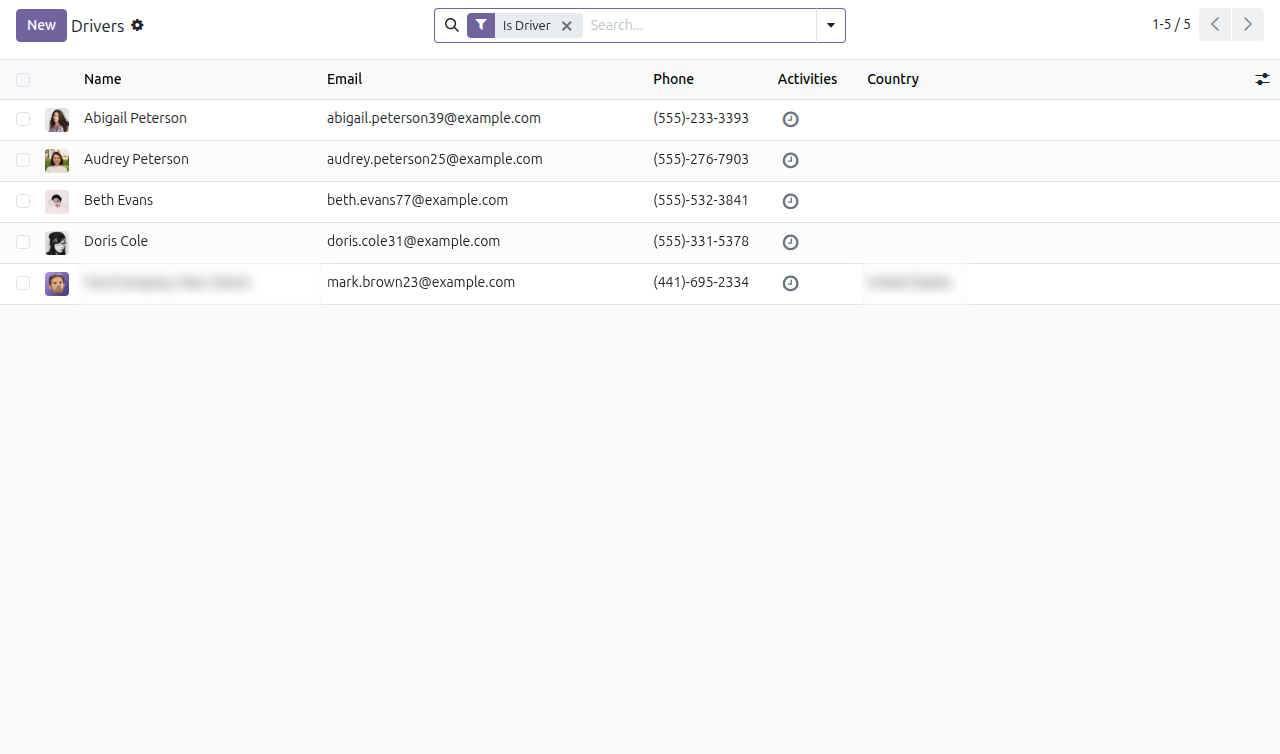
→ The Fleet app gets a Drivers list: every employee and outside contact marked as a driver. An outside driver is added from the same list, already marked.
The license sits on the driver's record
Today, checking whether a driver holds a valid license means finding a copy of the paper.
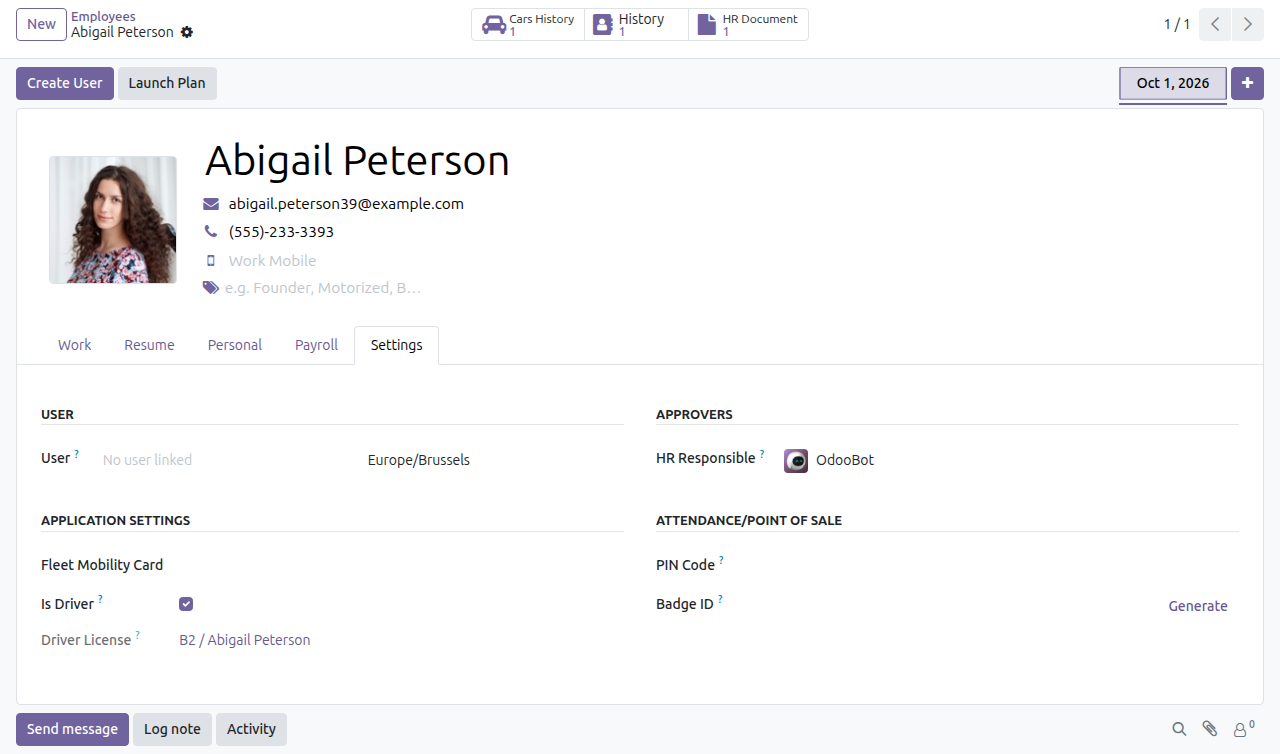
→ Mark an employee as a driver and their employee record shows the current driver license. When they hold several, it shows the one that expires first.
A reminder before a license runs out
Today, an expired license is found when someone happens to look.
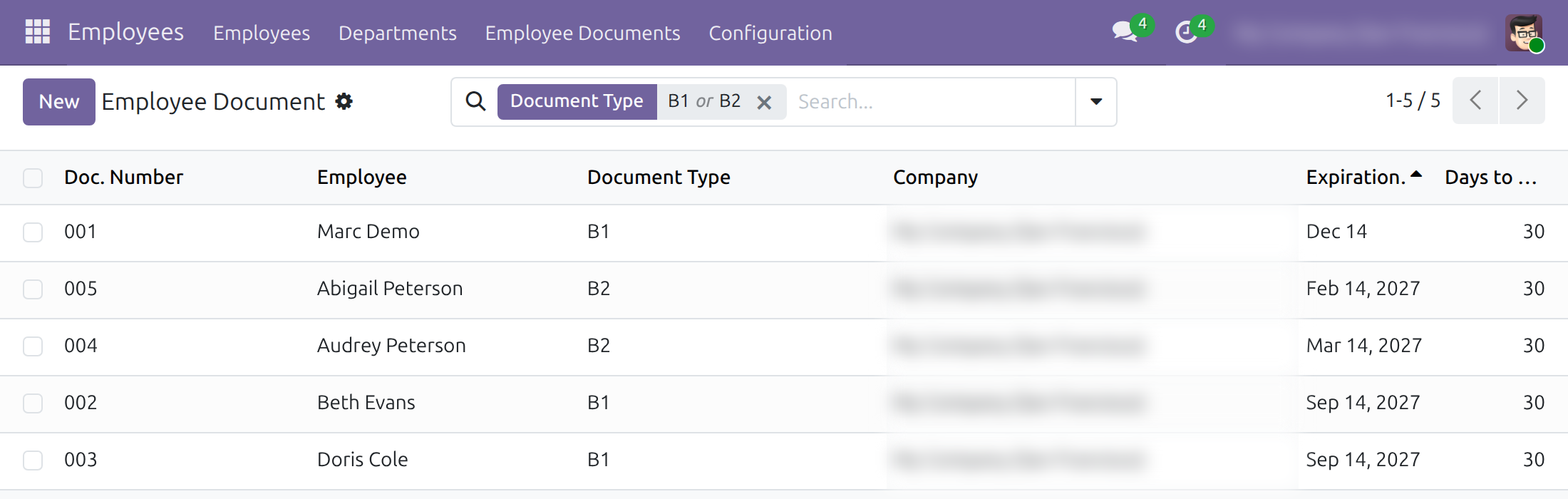
→ Each license is an employee document with its class, holder and expiry date. On its notification date, the document manager receives an email, and the Expire in 30 Days and Expired filters show what needs renewing.
Ready on day one
License classes
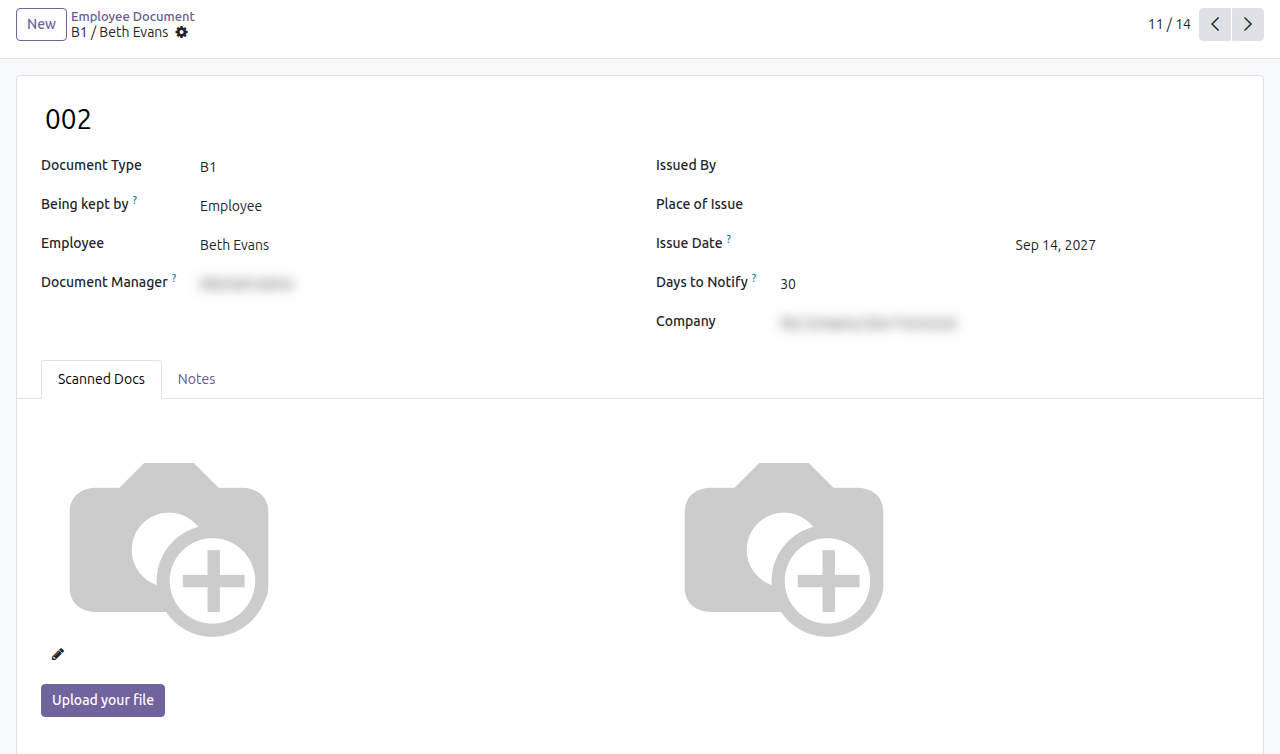
A list of common classes (A, B, C, D, E, F and their sub-classes) ships as document types, each with a 30-day reminder. Rename, add or remove classes to match the licenses your drivers hold.
Driver search everywhere
The Is Driver filter works in the Drivers list and in every contact search.
Set up first
Give HR officers and fleet managers their access rights, then record each driver's license with its validity dates. The Documentation tab walks through each step.
What is included
A driver mark on employees and contacts, the Drivers list in the Fleet app, driver license classes as employee document types, and the current license on each employee driver.
Optional extensions
Fleet Booking & Trip Management
Vehicle bookings for staff and guests, where a booking can name a preferred driver from this list.
Before you decide
Does any of our data leave the database?
No outside service is called. Reminders go out as emails through the mail server of your own database.
Who sees what?
HR officers mark employees as drivers and record their licenses. Fleet officers open the Drivers list in the Fleet app. The current license on a record is shown to HR officers and Fleet administrators only.
Can we record the license of an outside driver?
No. Licenses are employee documents, so only employees carry one. An outside driver appears in the Drivers list without a license record.
Our license classes are different. Does it still fit?
Yes. A class is an ordinary document type marked as a driver license, with its own reminder period; keep the ones you need and add your own.
What does it take to run it?
The Employees and Fleet apps and Employee Documents. It installs on its own once Employees and Fleet are both installed. It ships in English and Vietnamese.
Try it, then ask us
Read the Documentation tab of this listing, open the Live Preview, or watch the video above.
Pre-sales & partnership
viindoo.com/contactusTechnical support
viindoo.com/ticketTechnical requirements
- Odoo version: 19.0
- Editions: Community, Enterprise
- Required modules: Fleet History, Employee Documents
- License: OPL-1
- Languages: English, Vietnamese
Fleet Drivers Management
For fleet managers, HR officers and administrators who need to know who may drive the company's vehicles and until when their driver licenses are valid.
Overview
Fleet Drivers Management marks people as drivers, whether they are employees or outside contacts, and keeps each employee's driver license with its class and expiry date. A reminder goes out before a license expires, so no vehicle is assigned to someone whose license has lapsed.
The work is shared between three people:
| Role | What they do | Access right to assign |
|---|---|---|
| Administrator | Installs the module and gives each person their access right. | Settings / Administration |
| HR officer | Flags employees as drivers, records their driver licenses and maintains the list of license classes. | Employees / Officer: Manage all employees (license classes: Employees / Administrator) |
| Fleet manager | Keeps the list of drivers and flags outside contacts as drivers. | Fleet / Officer: Manage all vehicles |
The Settings tab of an employee, where drivers are flagged and the current license is read, belongs to the HR officer.
Setup (for the Administrator)
Installation
- Open Apps.
- Search for Fleet Drivers Management.
- Click Install. The module installs together with the Employees and Fleet apps and with the employee documents it relies on.
A set of driver license classes (A, A1, A2, B, B1, B2, C, D, E, F and others) is available right after installation. Edit the list to the classes your drivers hold, as described in "Maintain the license classes" below.
Access rights
Open Settings > Users & Companies > Users, open the user, and in the access rights choose the right shown in the table of the Overview for each role.
HR officer: manage drivers and licenses
Maintain the license classes
- Open Employees > Configuration > Document Type.
- Open a class, for example B1. Its Type reads Driver License.
- Set Being kept by (who holds the paper license) and Days to Notify (how many days before expiry the reminder is sent).
- To add a class, click New, enter the name, and set Type to Driver License.
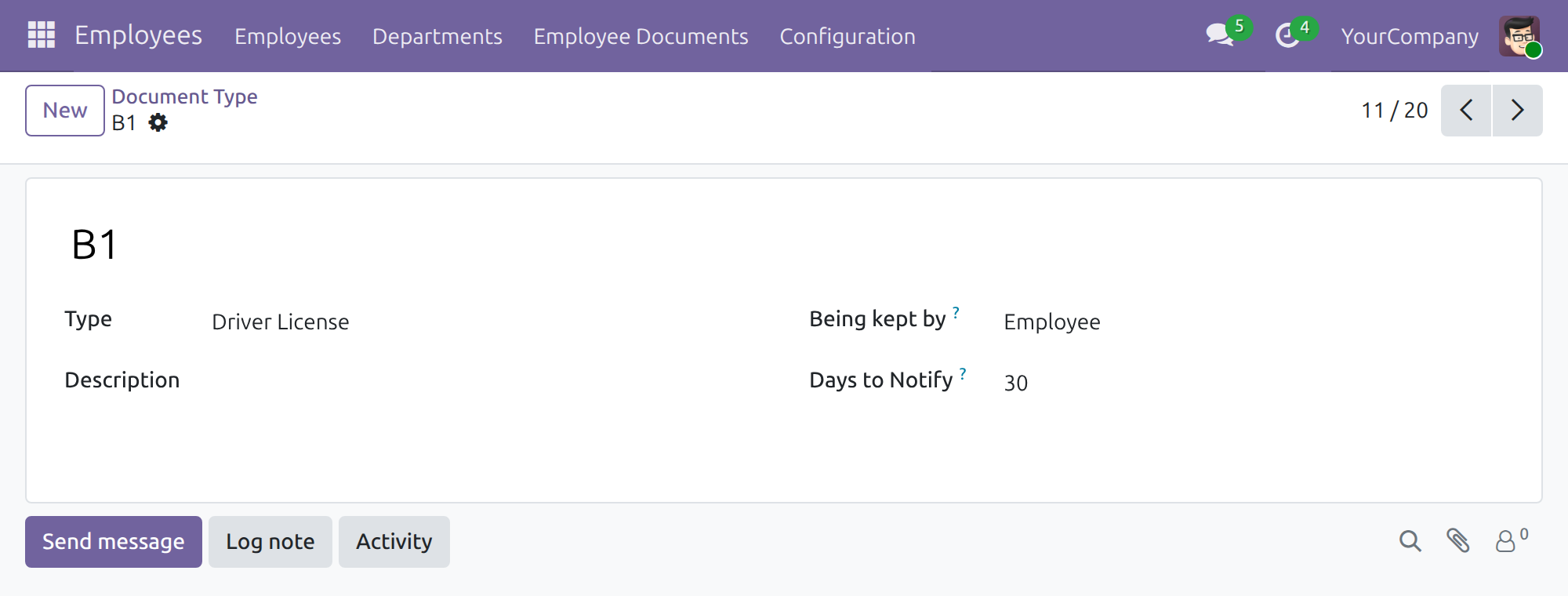
Only a type whose Type is Driver License counts as a license class.
Mark an employee as a driver
- Open Employees > Employees and open the employee.
- Open the Settings tab.
- In Application Settings, tick Is Driver.
- Save.
Once Is Driver is ticked, Driver License shows the employee's current license. The employee appears in Fleet > Drivers > Drivers. Entering a Fleet Mobility Card number also ticks Is Driver for you.
Record a driver license
- Open Employees > Employee Documents and click New.
- In Document Type, choose a license class such as B1.
- Enter the license number in the title, choose the Employee, and set the validity dates. The license expires on the end date.
- Save.
Days to Notify starts from the class value and Date to notify shows the day the reminder goes out. When an employee holds several licenses, Driver License on the employee shows the one that expires first. Use the Expire in 30 Days, Expire in 7 Days and Expired filters of Employee Documents to see licenses that need renewal.
Fleet manager: keep the list of drivers
List the drivers
Open Fleet > Drivers > Drivers. The list opens with the Is Driver filter on, so it shows every employee and contact flagged as a driver. The same filter is available on the contacts list.
Add an outside driver
- Open Fleet > Drivers > Drivers and click New.
- Enter the name and contact details of the driver. Is a Driver is already ticked.
- Save.
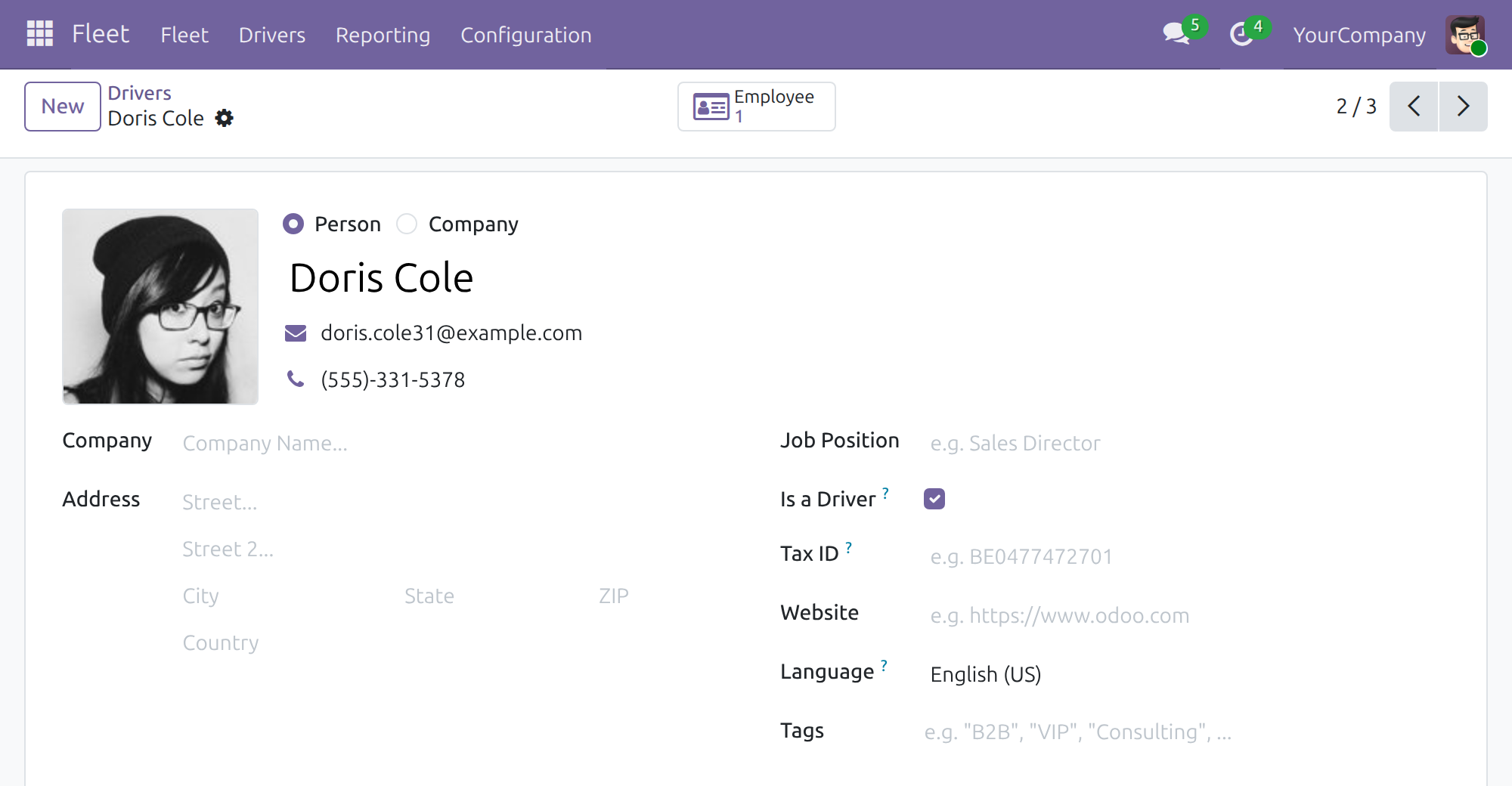
To flag an existing contact, open it and tick Is a Driver. The field is available on a person, not on a company.
Note
For an employee, Is a Driver and the Is Driver tick on the employee are the same setting: change one and the other follows.
This software and associated files (the "Software") may only be used (executed, modified, executed after modifications) if you have purchased a valid license from the authors, typically via Odoo Apps, or if you have received a written agreement from the authors of the Software (see the COPYRIGHT file).
You may develop Odoo modules that use the Software as a library (typically by depending on it, importing it and using its resources), but without copying any source code or material from the Software. You may distribute those modules under the license of your choice, provided that this license is compatible with the terms of the Odoo Proprietary License (For example: LGPL, MIT, or proprietary licenses similar to this one).
It is forbidden to publish, distribute, sublicense, or sell copies of the Software or modified copies of the Software.
The above copyright notice and this permission notice must be included in all copies or substantial portions of the Software.
THE SOFTWARE IS PROVIDED "AS IS", WITHOUT WARRANTY OF ANY KIND, EXPRESS OR IMPLIED, INCLUDING BUT NOT LIMITED TO THE WARRANTIES OF MERCHANTABILITY, FITNESS FOR A PARTICULAR PURPOSE AND NONINFRINGEMENT. IN NO EVENT SHALL THE AUTHORS OR COPYRIGHT HOLDERS BE LIABLE FOR ANY CLAIM, DAMAGES OR OTHER LIABILITY, WHETHER IN AN ACTION OF CONTRACT, TORT OR OTHERWISE, ARISING FROM, OUT OF OR IN CONNECTION WITH THE SOFTWARE OR THE USE OR OTHER DEALINGS IN THE SOFTWARE.